 Ok, I’m a weenie and I admit it. Proud of it!
I put off switching computers as long as I could but I did it. Yes, it was painful. Changing operating systems and Office versions left me with very little that looked familiar. The have something called the modern mode. Looks like a large cell phone screen.
Not happy!
It took me hours to find my real email. They had me setting up accounts for things I don’t use. There is a cloud in heaven with my name on it. It contains my blog essays.
I assume that the angels read them during their down time when those devil scamps aren’t tempting us mortal folks.
There are some things that are better. It is way, way faster. I downloaded the Office Suite in 30 seconds. Remember when that took a half hour or more? I do.
The taskbar kept getting lost and it took me a long time to make it stay where it was supposed to be. I am sure I’ll like most things about the updates but in the meantime it’s taking me forever to do anything.
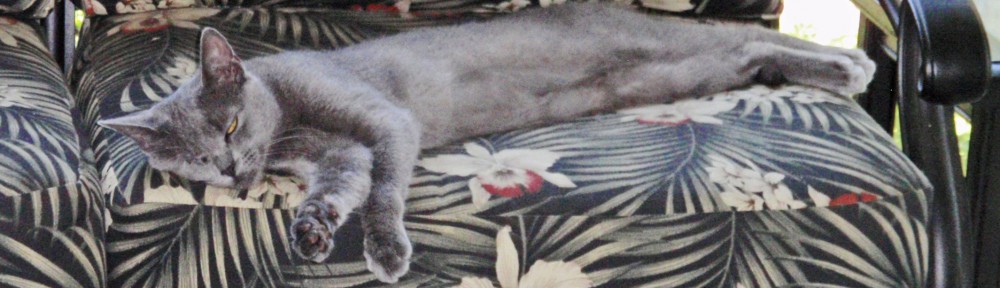
I really like the Google toolbar for Internet Explorer. Damn if that thing didn’t give me fits. It didn’t want to download. Google wanted my first-born before they would give it up. (Do they know my first-born is an old cranky cat?)
Ok, I’m old. I need bigger print. Took me a while to find that on all the different apps. They are also using a charcoal color for some of the formatting information and icons. I like it plain black, just like my coffee! Perhaps I’ll find that command somewhere, sometime.
The touch screen is wonderful and the visibility (except for the charcoal print) is great. Pictures are fabulous!
It’s missing some things my old Dell had like the ability to tap an icon on the side of the screen for instant volume change.
I have to decide if I should use the “modern” mode and learn how it works or stay with my “classic” format. I prefer classic because I know it.
“Modern” mode may be the only choice in the future so perhaps it’s better to learn it sooner than later (when it’s even harder to remember).
There is a lot of stored information I have yet to transfer to my new computer — docs, pictures, address books and calendars but within a week or so, I should be up to speed on this puppy and back to my normal self (which is cranky about something else!).
So far I have a smart car and a smart phone. Now I’ll have a smart computer. All of which are much more capable than I am. The only electronic piece that was quick and easy is my new super-duper Kindle Fire. Love that thing!
By the way, they moved the delete button on the keyboard but I found it. I think those rascals are playing with me!
 Views and Mews by Coffee Kat
I use Windows at work, but strictly Mac at home. My gripe is that our email at school switched to the cloud and that has created continuous problems.
LikeLike
I am nervous about the cloud but I am using it only for pictures. We’ll see.
LikeLike
I think I actually broke out in a sweat thinking about this upgrade. I’m sure you’ll be a pro in no time!!
LikeLike
Not likely. By the time I get it, it’s time for an upgrade.
LikeLike
Before I read your comment, I knew you’d gotten a Windows 8. Within a week after I purchased a Windows 8 laptop, I was so frustrated that I returned it a week later. (To be fair, part of the problem was the computer’s mother board.) The final straw was not being able to find the button to shut it down. My hubby knew how to do this, but he was sleeping and I didn’t want to wake him. But I also didn’t want to drain the battery. Finally, after 15 to 20 minutes, I found it and shut it down. I traded it in for a Mac and am much happier. My desktop, however, is a Windows 7.
Good luck with your new computer, Kate. 😉
LikeLike
This is a Windows 8.1 which supposedly has some of the major bugs worked out. They did change a lot of stuff. There is some simple stuff that I haven’t figured out yet. I set up the old start screen but I am trying to work with the new one. The new one has no place to keep the time on. I like to have the time showing especially when I play solitaire. Don’t know why they did away with that. I would have gone back to W7 if that was an option. Loved it.
LikeLiked by 1 person
Oh, Braveheart, one who’s takes on the hordes single-handedly. When I need a new computer, I call my IT guy who tells me what to buy or buys it for me, then comes here and sets it all up. I’m crazy enough already, so I try to avoid putting myself over the edge. When I grow up, I want to be like you!
LikeLike
Don’t do it. Stick with your IT guy. It’s so much easier and you sleep better.
LikeLike
It is so kind of you to take the hit for the rest of us!! I still have a desktop (Dell circa 2008), don’t have a tablet or laptop, and dread the next upgrade b/c I know the leap is going to be canyon-sized 🙂
MJ
LikeLike
Canyon-sized is an understatement. It feels like the difference between mimeograph and the super copiers. Love the Kindle which is like a tablet. Hate the laptop. You don’t really know until you have one and use it. I do use the laptop when I’m on vacation but I swear a lot. Like to work on a desktop best.
LikeLiked by 1 person
It’s tough to relearn, my sympathy.
LikeLike
Awww thanks Seeker! You have to do it or you get left behind.
LikeLiked by 1 person
I am sometimes not so techno-savvy, Kate! I am thankful, actually, to be able to go to the library where they have updated the computers with big protective walls from viruses! I feel your pain, though, more when I have to update my cell phone! I have just a simple flip phone, which doesn’t have too much on it, but it takes amazing photos so I send them to my youngest daughter and she sends them off to get developed on some kind of an internet photo shop! Smiles!
LikeLike
I knew it! I should have had kids! Geeky, techie kids who could do this for me!
LikeLike
As you know, I have decided to stop learning new things. Unfortunately, this technology stuff keeps forcing us ahead. 🙂 You are forging through the swampy morass with flying colors Kate. Keep going!
LikeLike
No flying colors, just about making it. I’ve decided to try to find a YouTube video or a book on what I can do with this system. I’d love to have someone walk me through it like they did when I worked. Bummer.
LikeLike
Feeling queasy just thinking about the process. Glad you are up and swimming – much better than treading water and wondering where all the familiar stuff went to
LikeLike
Feels kinda like treading water to me…..
LikeLike
I always love getting a new computer, but the set-up and learning curve is misery. I have Windows 7 and I’m happy. I hope my laptop will continue to function as I had an introduction to Window 8 when my father got a new computer…I wasn’t too thrilled with it. As for the Kindle…I’m with you Kate, so user friendly! Good luck!
LikeLike
I loved Windows 7 much better than Vista or anything that came before it. Not sure about this 8.1 yet.
LikeLike
All these new things to learn about our electronic gadgets are probably good for our brains but bad for our moods!
LikeLike
So true!
LikeLike
I have Windows 7 and I’m going to try to stick with it as long as I can. I don’t want my desktop to look like a large cell phone screen. Good luck moving the rest of your files!
LikeLike
I was happy with W7. It worked. I understood it.
LikeLike
Every other Windows iteration sucks. XP = good, Vista = sucks, W7 = good, W8 = sucks. I’m waiting until Windows 9 before I upgrade.
If you need a bigger font, here is an awesome shortcut: Press and hold the control key and then hit the “+” key next to your backspace key. The image will increase by about 25% with each stroke of “+”
If it gets too big, do the same thing with the minus key next to it.
LikeLike
THAT is a very handy hint for those of us that are myopically-challenged, so thanks for sharing!
LikeLike
No problem!
LikeLike
I do remember that from before although I didn’t remember until you reminded me! Thanks!
LikeLike
Oh, and I have 8.1 does that qualify for the next version?
LikeLike
I keep computers FOREVER just so I don’t have to deal with these sorts of frustrations. I don’t know why computer manufacturers have such a difficult time with the idea: if it ain’t broke, don’t fix it.
LikeLike
Actually I do too. I would never have bought a new one but my old one started overheating. The techie said it would be expensive to fix and my computer was too old to put money into it.
LikeLike
I had the same problems when I bought a Mac…I feel you!
LikeLike
Guess it’s the same all over. Some things I like and some things I miss.
LikeLike
Good luck. I haven’t updated my computer since 2006.
It’s slow, but so am I, so that’s not reason enough to swap it out.
LikeLike
In the middle ages, they updated their computers every 270 years. You’re doing fine!
LikeLike
These days the computers (and appliances for that matter) don’t last as long!
LikeLike
I never upgrade until it breaks and mine did. The one I had before this one was struck by lightning. I think I had my current one since 2007. It came with Vista which I upgraded to Windows 7. I was happy.
LikeLike